Picture this: a regular client calls you. “I got your email about the new RIB (bank details), shall I send the payment there now?” You never sent that email. Yet it came from your address, with your signature, as a reply in a real conversation about a real invoice.
According to the 2025 activity report of cybermalveillance.gouv.fr (the French government’s cybercrime assistance service), account hacking became the number one threat for businesses and non-profits in France: 21% of their requests for help, with requests about hacked accounts up 52% on the year before. If your business email was hacked, here is how to tell and what to do, step by step.
No time to deal with it?
I check your domain’s email and set up SPF, DKIM and DMARC: the first step to getting fake emails sent in your name rejected. From 35 € excl. VAT. If you prefer to do it yourself, everything is explained step by step below.
One email, three different situations

Mailbox hacked
Someone has signed in to your email and is writing from it. The sign: the message continues a real conversation and knows the amounts and invoice numbers.

Address spoofed
Nobody got into your mailbox: the email was sent from someone else’s server with your address typed into the “From” field. It is usually a mass mailing with no details about your business.

Lookalike address
The address differs by one letter or by the domain ending. If the email contains details of your deal, they may have come from your client’s hacked mailbox, not yours.
Ask the client to forward the email and compare the address with yours letter by letter, then look in your “Sent” folder. If the email is there or it repeats your conversation, treat your mailbox as hacked.
Why email is the target
Your mailbox holds invoices and conversations with clients, and it is how passwords for your other accounts get reset. As cybermalveillance puts it, a hacked mailbox opens the way to taking over other accounts and to payment fraud. Attackers take over mailboxes through a fake sign-in page (as in the quote request with a link to a project brief I analysed), through a weak password, or through a password leaked from another website.
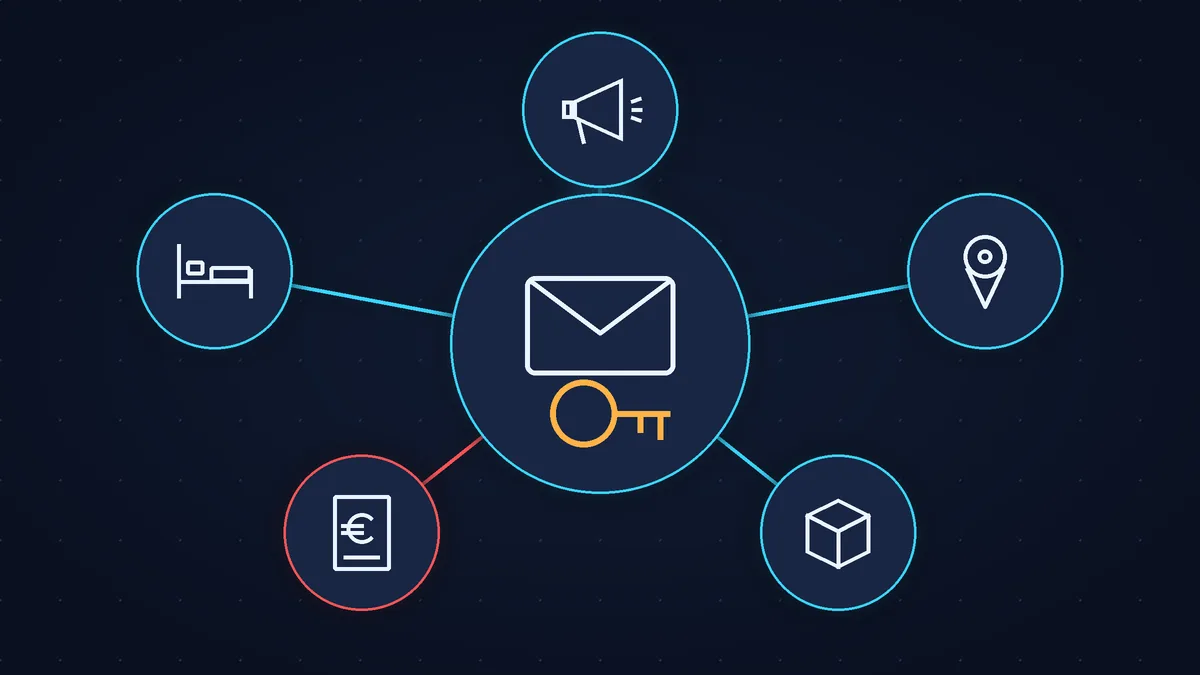
The same report lists typical cases from 2025:
- Microsoft 365 business email: specialists with the ExpertCyber label (a French government-backed certification) are regularly called in to deal with these hacks;
- invoicing software: bank details were changed in it, and clients paid the scammers;
- Booking.com at hotels: guests received emails with phishing links;
- Meta Business: it can be used to run fraudulent ads;
- Colissimo Entreprise (La Poste’s parcel service for businesses): losses of several thousand euros;
- a call from a “Google My Business adviser”: they send a link or ask for the verification code, then take over the company’s Business Profile on Google, and sometimes the ad account too.
Signs your business email has been hacked
Based on the lists from cybermalveillance and Microsoft:
- your “Sent” folder has emails you did not write, or clients receive strange emails from you;
- incoming mail goes missing: some messages end up in “Deleted”, “Junk” or rarely used folders;
- rules or forwarding to an unknown address have appeared;
- you get sign-in alerts from an unknown device or another country;
- your recovery phone number or recovery email has changed;
- your password no longer works.
The forwarding rule is the real trap: with it, the attacker keeps getting copies of your emails even after you change the password.
What to do in the first hour
- Sign in from another device you trust and change the password to a new one you have never used anywhere else. If you cannot sign in, recover access through your email provider’s official form.
- Check your recovery phone and email in the security settings and correct them if they are not yours.
- Sign out of all sessions on other devices, in other words, sign out of your email everywhere except your own phone or computer. Before that, take screenshots of the list: they are evidence. In your Google Account, the list is under “Manage devices”, and the events under “Review security events” (Google help).
- Delete rules and forwarding you did not set up. In Gmail: the Settings icon, “See all settings”, the “Forwarding and POP/IMAP” tab, “Disable forwarding”, then “Save Changes” (help). Check your filters too: they can also forward emails. In Outlook on the web: “Settings”, “Mail”, “Rules” (Microsoft help); forwarding is turned off under “Settings”, “Mail”, “Forwarding” (help).
- Turn on two-factor authentication: on top of the password, a code or a confirmation on your phone.
- Change the password everywhere you used the same one.
- Warn your clients and suppliers through another channel: by phone or text message, not from this mailbox. One sentence is enough: “We never change our bank details by email, please confirm any new RIB by phone.” Start with those who have open invoices right now.
- If money has gone or the scammer is writing to your clients in your name, call your bank straight away and file a complaint (porter plainte): a business does this with the police or gendarmerie, or by letter to the public prosecutor (template letter, in French). The online platform THESEE is for private individuals only (Ministry of the Interior page, in French): it may suit your client, but only if they are a private individual and they are the one who was defrauded.
- If the mailbox held client data, this may be a personal data breach. Under the GDPR, you must notify the CNIL (the French data protection authority) within 72 hours of becoming aware of the breach, unless the breach is unlikely to result in a risk to people’s rights and freedoms. I am not a lawyer, so check the CNIL page (in French).
If your company email runs on Microsoft 365 or Google Workspace and you have several employees, steps 1 to 4 are done by the administrator. Microsoft also reminds you not to send the new password through the same email account and to check which apps have access to the mailbox (Microsoft guide).
If the mailbox was not hacked but the address was spoofed
Changing the password is pointless here: the emails are not coming from your mailbox. What protects you is a DMARC record in your domain settings (DNS). It tells the recipients’ mail servers what to do with emails in your name that fail the check: deliver them as usual and just send you a report (the none policy), send them to spam (quarantine) or reject them (reject). As long as the policy is none, forgeries still reach your clients. Google advises starting with none, using the reports to make sure your own emails pass the check, and only then moving to quarantine and reject (Google Workspace help). I explained SPF, DKIM and DMARC in plain words in the article on emails going to spam.
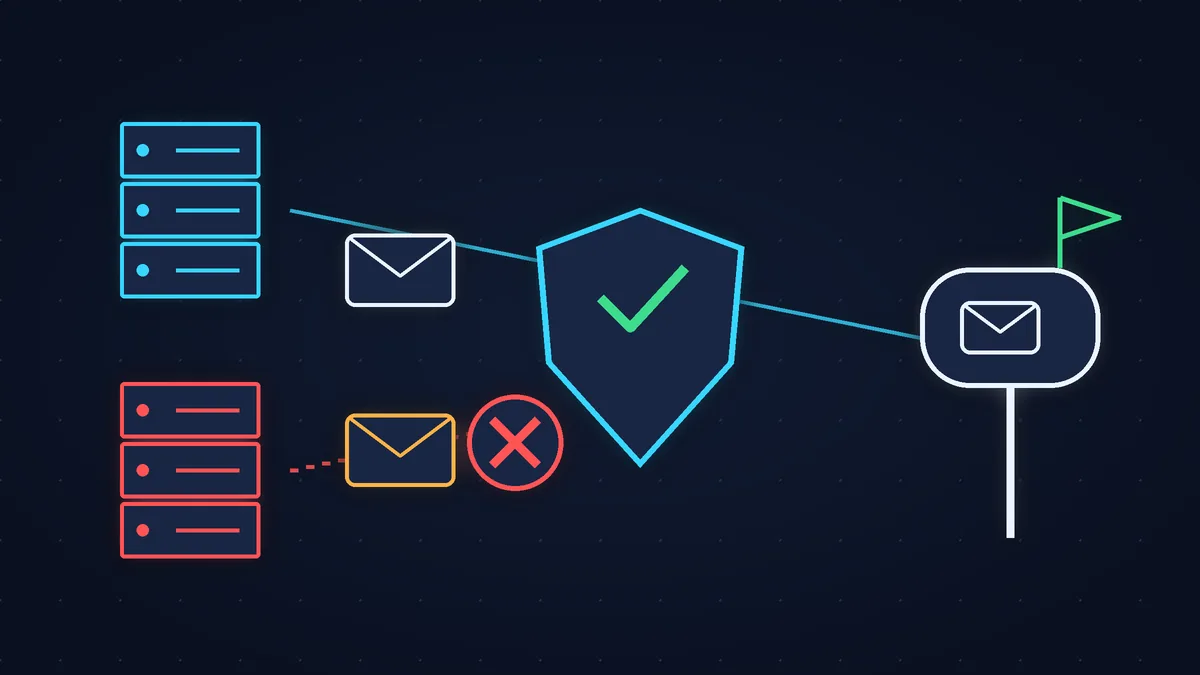
DMARC will not help against a lookalike address: that is someone else’s domain. The only protection there is your clients’ habit of confirming bank details by phone.
Booking, Meta and the “call from Google”
First get back the email account the service is linked to, then the account itself.
- Booking.com. In March 2025, Microsoft described a campaign of fake Booking.com emails sent to hotels (“negative review”, “confirm your account”) that delivered password-stealing malware. Change the password for the Extranet (the hotel’s management area on Booking.com) and for your email, turn on two-factor authentication and contact Booking.com partner support.
- Meta (Facebook, Instagram). Only recover your account through the official address facebook.com/hacked. If ads you did not launch are running, check your payment methods.
- Your Google Business Profile. Google’s help is clear: Google will never ask for your verification code, and you should not share the code with anyone, not even people who manage your Business Profile (Google help). A call asking you to read out a verification code is theft. If the profile has already been taken, sign in to your Google Account and contact support through the Google form.
Only Booking.com, Meta and Google support can give you those accounts back: neither I nor any other contractor can do it for you. What I can do is help you recover and secure the email account they are linked to, and set up your domain’s email.
Checklist: closing the doors in advance
- your email has two-factor authentication and, where possible, a passkey (signing in with your fingerprint or your phone’s PIN; according to Google’s help, it protects better against phishing);
- your email, Booking, Meta and invoicing software all have different passwords;
- your recovery phone and email are up to date and belong to you;
- former employees and contractors no longer have access;
- SPF, DKIM and DMARC are published for your domain;
- your clients know: a new RIB only after a phone call.
When to call in a specialist
Call in a specialist if you cannot tell how long the attacker has been in the mailbox, if the email is on your own domain and you have several employees, or if you cannot get access to the email back. If money has already gone, your bank and the complaint come first, not a contractor. Government help starts with 17Cyber (in French).
If your time is worth more
Any business owner can check their mailbox and rules. Your domain’s DNS records are another matter: I can set them up for you, and we will move DMARC to strict mode once the reports show your emails pass the check. That is form and email setup from 35 € excl. VAT. And to have your domain, forms and website monitored on an ongoing basis, there is website maintenance from 79 € excl. VAT per month.
Sources (checked on 31 October 2026): Rapport d’activité 2025, cybermalveillance.gouv.fr, 26 March 2026, pp. 36, 46-47, 53 (in French); Que faire en cas de piratage d’une boîte mail ?, cybermalveillance.gouv.fr, updated 5 October 2026 (in French); Respond to a compromised email account in Microsoft 365, Microsoft, 3 July 2026; Phishing campaign impersonates Booking.com, Microsoft Threat Intelligence, 13 March 2025; THESEE, French Ministry of the Interior; Porter plainte auprès du procureur, service-public.gouv.fr.
Rather not deal with it yourself?
Describe the task in a few words. I'll reply within one working day with what needs doing, the price and the timing.
Latest posts