
You are opening a massage practice or a small workshop, and it is time to order a website. The questions all arrive at once: what should you write to the webmaster, when will you see the design, what do you need to bring, and why did a friend’s site, promised in “two weeks”, take three months?
Below is the website creation process step by step, including the part that usually goes unexplained: what the webmaster does at each stage, and what is needed from you. Most of the time a project is not waiting for the webmaster but for the owner’s material, and almost all of those delays can be removed in advance.

In short:
- Enquiry and brief.
- Quote and contract.
- Your material.
- Structure and wireframe.
- Design.
- Build and content.
- Checks.
- Launch.
- The first weeks after launch.
1. Enquiry and brief
Two or three sentences are enough for the first email: what you do, where you work, what the site should achieve (calls, bookings, quote requests) and whether there is an old site. Next there is usually a short call or a brief: a questionnaire about your business, your clients, the pages and languages you need. At Zen Webmaster the brief is filled in online, and the short first conversation about the project, around half an hour, is free. If you want a detailed review of the project with written recommendations, that is a separate starter consultation (from €49 excl. VAT).
In France this kind of project description is called a cahier des charges (a project specification). For a small business website you do not need a twenty-page document: answers to the brief and a couple of example sites you like are enough. What to gather before the call is covered in What you can prepare yourself before ordering a website.
2. Quote and contract
After the brief, the webmaster sends a quote (a devis, in France): the list of pages, languages, who writes the copy, how many rounds of revisions are included (how many times you can send the design or copy back with comments at no extra cost), timelines, payment terms and what happens after launch. The signed quote or contract sets out what you are paying for.
Two points worth checking separately: the domain is registered in your name, and after launch you get access to the site’s admin area and the hosting. For a line-by-line reading of such a proposal, see How to read a website quote.
3. What you prepare
This is where projects stall most often. The webmaster can build the framework in a few days, but without your material it is just empty blocks.

Copy, or the facts behind it
Services, “from” prices, the area you cover, answers to frequent questions. You can bring finished copy, or raw facts the webmaster turns into copy. To write it yourself: How to write your website copy without a copywriter.

Photos and logo
Your own photos of the premises, your work, the team. Phone photos are fine if they are taken in daylight and sharp. The logo is best as the original file from the designer, not a screenshot.

Access
If you already have a domain or hosting: the logins for your registrar and hosting accounts. If someone else built the old site, ask them for access early, as this sometimes takes weeks.

Company details
Exact name, legal form and share capital (for a company), address, registration number (RCS or RNE), VAT number if you have one. They are needed for the mandatory legal notice page, the mentions légales.
4. Structure and wireframe
First you decide which pages are needed and what goes on each. For a small business website that is usually the home page, service pages, prices, contact and the legal pages. Then comes the wireframe: a layout of the page without colours or images, showing what comes after what and where the enquiry button sits.
Your job at this stage is to check the logic: will a client see within a couple of seconds what you do and how to reach you? Moving blocks around on a wireframe costs nothing; reworking a finished design costs more.
5. Design
Colours, fonts, the look of buttons and photos. Usually the home page and one inner page are shown first, and the rest follow the same style. It is best to collect your comments on the design in one list from one person: if three partners approve the design one after another, the revision rounds run out fast.
6. Build and content
The site is built on its working platform (at Zen Webmaster, usually WordPress): forms are connected, copy and photos go in. This is easiest on a private test address, where you see the real site but Google and visitors do not. It is a good sign if you are shown work in progress, rather than the webmaster vanishing until handover.
Ask right away to be shown how to change a price or a photo yourself in the admin area (the site’s control panel). Those five minutes save you money on small edits later.
7. Checks before launch
The webmaster checks the technical side, but two things are worth testing yourself: the phone and the forms. The other two cards are there so you know what to ask about.

Phone
Many clients will open the site on a smartphone, and Google indexes and ranks a site based on its mobile version (Google Search Central). Go through the site on your own phone and check that everything is readable without zooming and the buttons are easy to tap.

Forms
Send an enquiry through every form and make sure the email reaches your inbox, not spam. This kind of fault easily goes unnoticed for weeks: the site works, but enquiries are quietly lost.

Speed
The page opens quickly, even on mobile data. Heavy photos are compressed, and there is nothing unnecessary on the page.

Legal pages
Mentions légales (the legal notice), a privacy policy (the site collects names and phone numbers through the form) and a cookie banner if the site sets trackers that need the visitor’s consent (advertising, many analytics tools).
I am not a lawyer, but the basic requirements are set out officially. For the mentions légales, the French government site service-public lists what to include: for a company, its name, legal form and amount of share capital; for a sole trader, the name followed by “EI”; then the address, email, phone, registration number (RCS or RNE), VAT number if you have one, the hosting provider’s details (name, address, phone) and the name of the person responsible for publication, the directeur de la publication (entreprendre.service-public.gouv.fr, in French). For regulated professions, such as a physiotherapist or an architect, you also add your professional title and the body you are registered with.
On cookies: advertising and similar trackers may only be set after consent, and refusing must be as easy as accepting (service-public, CNIL, the French data protection authority, both in French). Check your own details on these pages: the webmaster lays them out, but only you know whether they are correct.
8. Launch
On launch day the domain is pointed to the new site, HTTPS is switched on (the padlock in the address bar: the connection is protected by a certificate, which many hosts provide for free) and the site is opened to search engines. Then the site is added to Google Search Console, Google’s free service that shows how the site appears in search. There you choose “Add property”, confirm that the site is yours, and submit the sitemap (a list of pages for Google) in the Sitemaps report.
The webmaster does all of this. What is needed from you is access to the domain registrar, if the domain is already in your name, and a Google account: ask for it to be added as an owner of the property in Search Console. That way the data stays with you, even if you change provider.
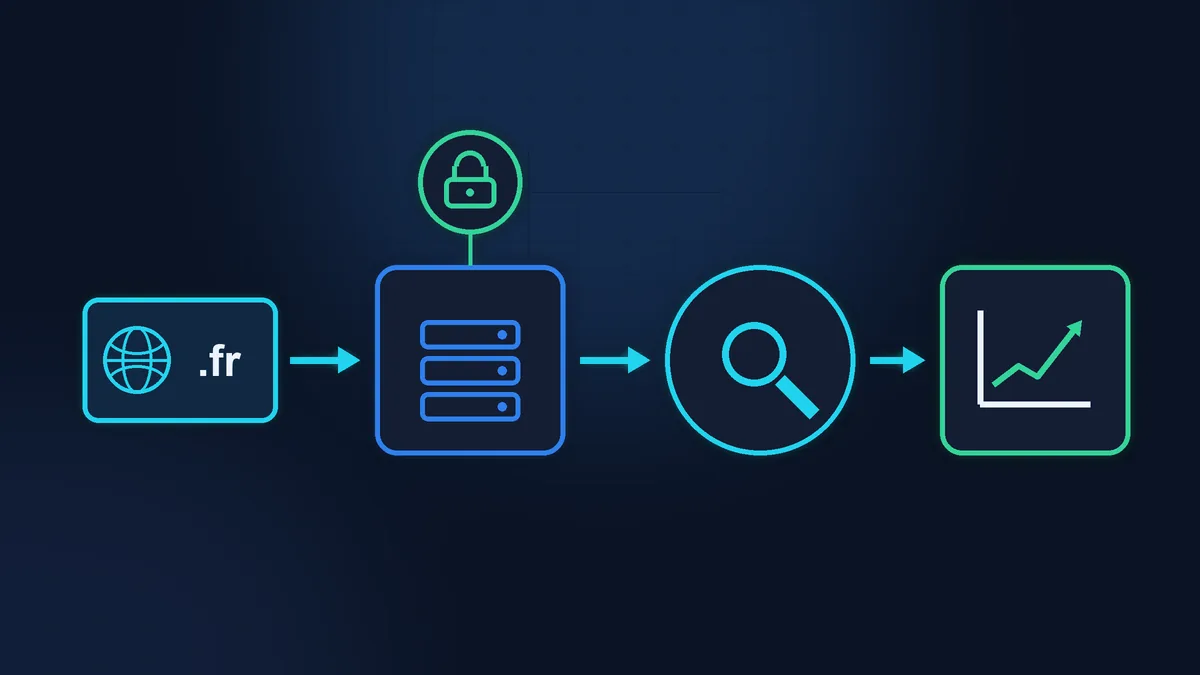
Do not expect clients from Google the next day. Google itself says it does not guarantee that a page will be indexed (How Search works), and crawling after a request can take anywhere from a few days to a few weeks (Google Search Central). Data usually starts to appear in Search Console within a few days (Search Console Help).
9. The first weeks after launch
- Once a week, send a test enquiry and check that the email has arrived.
- Note down everything you or your clients spot: typos, an old phone number, an unclear button. Send the list in one email.
- After a couple of weeks, look at Search Console: are pages showing up in the index, and which searches is the site already appearing for?
- Decide who keeps WordPress and plugins updated and runs the backups from now on: you, or a webmaster under a maintenance plan.
How long the website creation process takes
For a small service website at Zen Webmaster, plan on one to three weeks, and the spread depends almost entirely on how quickly the copy and photos arrive. An online shop takes longer. In agency articles you will find timelines of anything from a few days to several months: it all depends on the scope and on how many people sign off each stage.
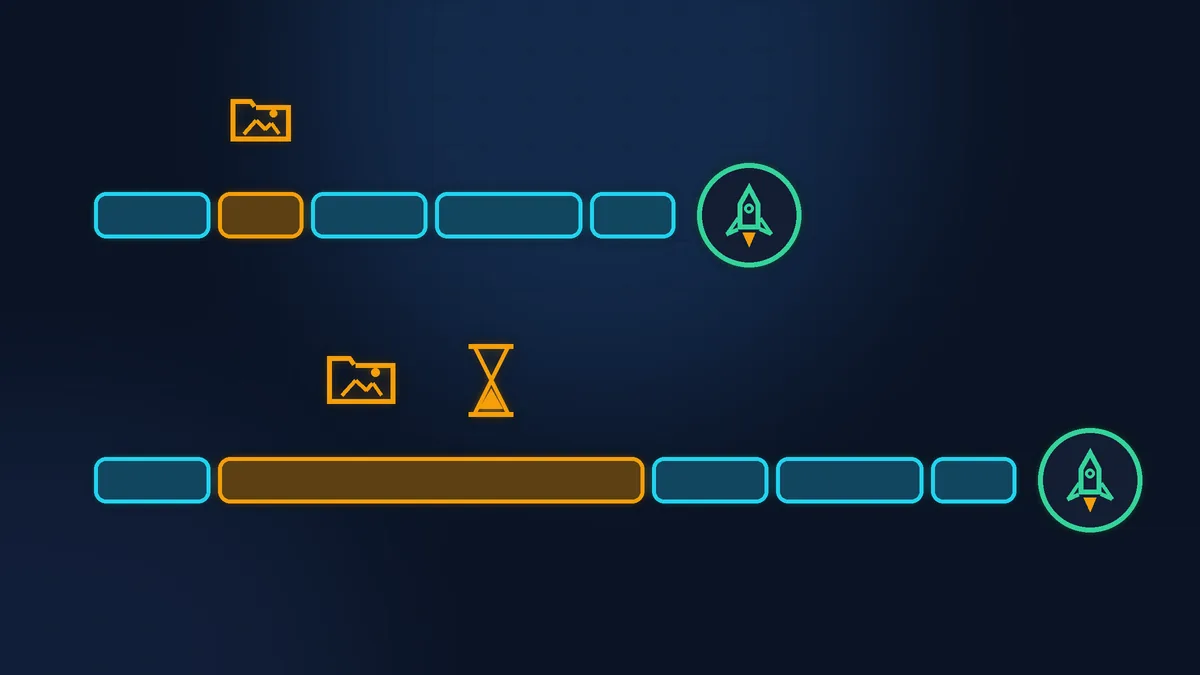
Where projects usually drag on:
- copy that you will “finish at the weekend”, which takes a month;
- photos waiting for a photographer or the right season;
- access to the domain held by a former provider who does not reply;
- approval of the design by several people in turn.
What it costs
A website you own outright is quoted for the specific job: five pages and a shop with three hundred products are different pieces of work. If you do not have the budget for everything at once, there is rent-to-own. Zen Webmaster prices are excl. VAT, and no VAT is charged, so nothing is added on top. Figures from the pricing page:
| Format | Setup | Per month |
|---|---|---|
| One-page site | €190 | from €49 |
| Service website | €290 | from €79 |
| Online shop | from €590 | from €199 |
The minimum rental period is 12 months. After that you can buy the site at a price known in advance: €490 excl. VAT for the one-page site, €990 excl. VAT for the service website, from €1,990 excl. VAT for the shop. You can also buy it out earlier, at any time: you pay the remaining monthly payments up to month 12, plus the buyout price.
Checklist before you start
- You have two or three sentences on what the site should do.
- The brief questions are answered and example sites are chosen.
- The quote shows the number of pages, revision rounds, timelines and what happens after launch.
- The domain is, or will be, registered in your name.
- The copy, or the facts behind it, is gathered in one file.
- Photos and logo are in one folder.
- Company details for the mentions légales are to hand.
- It is decided who approves the design and copy on your side.
What you can do yourself, and what you cannot
Gathering material, writing the copy, choosing examples and checking the site on your phone are well within a beginner’s reach, and they are the best thing you can do to speed the project up. Setting up the domain, HTTPS, form emails and Search Console for the first time, on the other hand, can easily stretch over several evenings, and a mistake in the DNS (the domain settings) can take your email down for a day. If the site is needed by a specific date, it makes sense to hand this part over.
If your time is worth more
If you have the time and the inclination, you can do part of the journey yourself, starting with the material. If you would rather run your business than turn a website launch into a second job, Zen Webmaster takes the whole project from start to finish: from the brief to launch and the first weeks after it. Details and payment options are on the website creation page.
Rather not deal with it yourself?
Describe the task in a few words. I'll reply within one working day with what needs doing, the price and the timing.
Latest posts