Here is an example. An invoice arrives from a supplier: same address, same signature, same order. At the bottom there is one extra line: “We have changed banks, please pay to the new RIB attached.” (A RIB, relevé d’identité bancaire, is the standard French bank details form.) Or the same thing arrives as a paper letter on official letterhead. You pay, and two weeks later the supplier asks why the invoice is still unpaid.
This is invoice fraud, also known as payment diversion fraud (in France: fraude au virement, faux RIB). The fraudster poses as someone you were going to pay anyway and changes only one thing: the IBAN, the payee’s account number. According to the 2025 activity report of cybermalveillance.gouv.fr, the French government’s cyber victim assistance platform, requests for help from businesses and non-profits about this fraud rose by 93%, and bank details fraud entered their top three threats for the first time: 13.5% of all requests for help from businesses and non-profits. The good news: one phone call protects you from this scheme, as long as you make it the right way.
No time to deal with this?
In a one-hour starter consultation we look at how invoices and bank details reach you, where the weak spot is in your email and website, and what to fix first. From 49 € excl. VAT. If you would rather do it yourself, everything is explained step by step below.
Why the message looks genuine
Often it is genuine, except for one line. According to cybermalveillance, it usually starts with a hacked mailbox at the client or the supplier: the fraudster finds an unpaid invoice and replies in the same email thread.

Supplier’s mailbox hacked
Real address, real email history. Checking the sender will not help.

Invoicing software hacked
In 2025 the platform saw bank details being changed inside invoicing software, and clients paid genuine invoices to fraudsters.

Posing as the town hall
In February 2025, local companies and associations received emails claiming to come from their local town hall (mairie): “our bank details have changed”, RIB attached.

Paper letter
The Payment Security Observatory at the Banque de France (OSMP) says it plainly: new bank details are sent both by email and by ordinary post, in a formal, official-looking letter.
According to the OSMP 2025 report, the police were aware of 640 cases of fake transfer orders targeting companies and organisations, with losses of 43 million euros, 19% more than a year earlier.
The one-minute check: use another channel
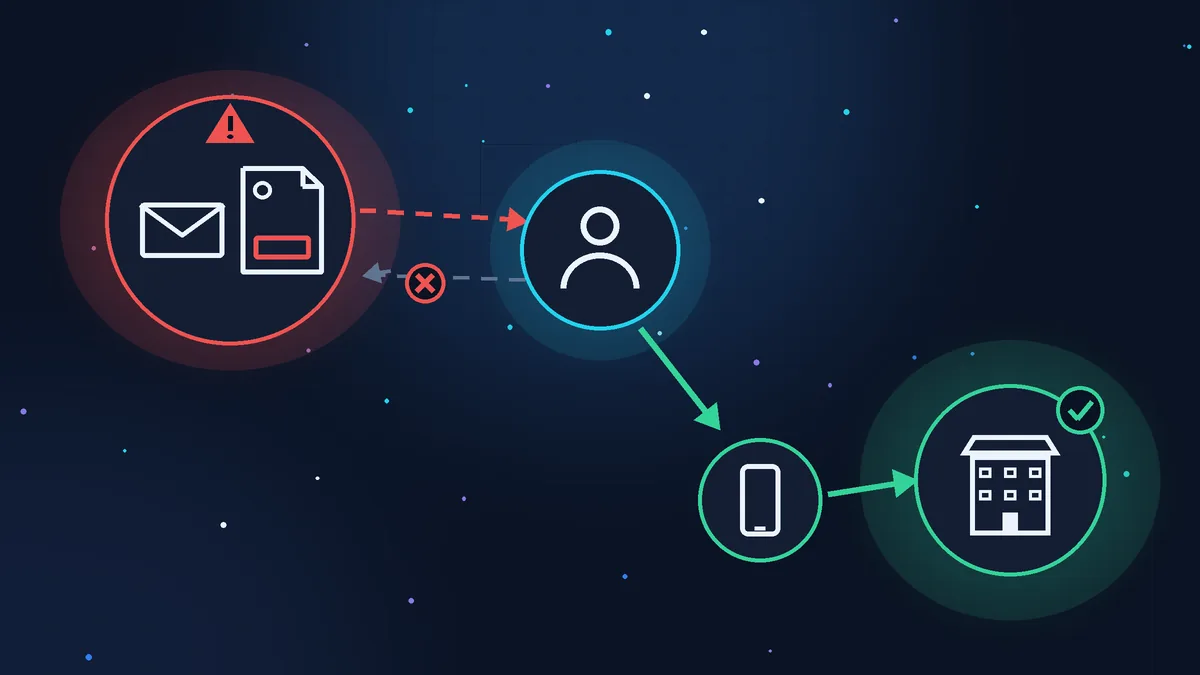
The rule from both cybermalveillance and the OSMP: confirm any change of bank details with the payee directly, but not through the message that announced it.
- Do not reply to the message or call the number in it. If the mailbox is hacked, the fraudster reads your reply. The phone number in a fake letter may be theirs too.
- Find the number yourself: in the contract, on an old invoice, in your contacts, on the supplier’s website (type the web address yourself).
- Ask an open question: “Have you changed your bank details?” Do not read out the new IBAN; ask the person to tell you the last digits of their account.
- Write down who confirmed, when and on which number. If there are two of you, let one person enter the payment and the other approve it: that is what the OSMP recommends.
Be especially careful if you are being rushed, asked to keep it confidential, or the account is in another country.
Verification of Payee: what it catches and what it misses
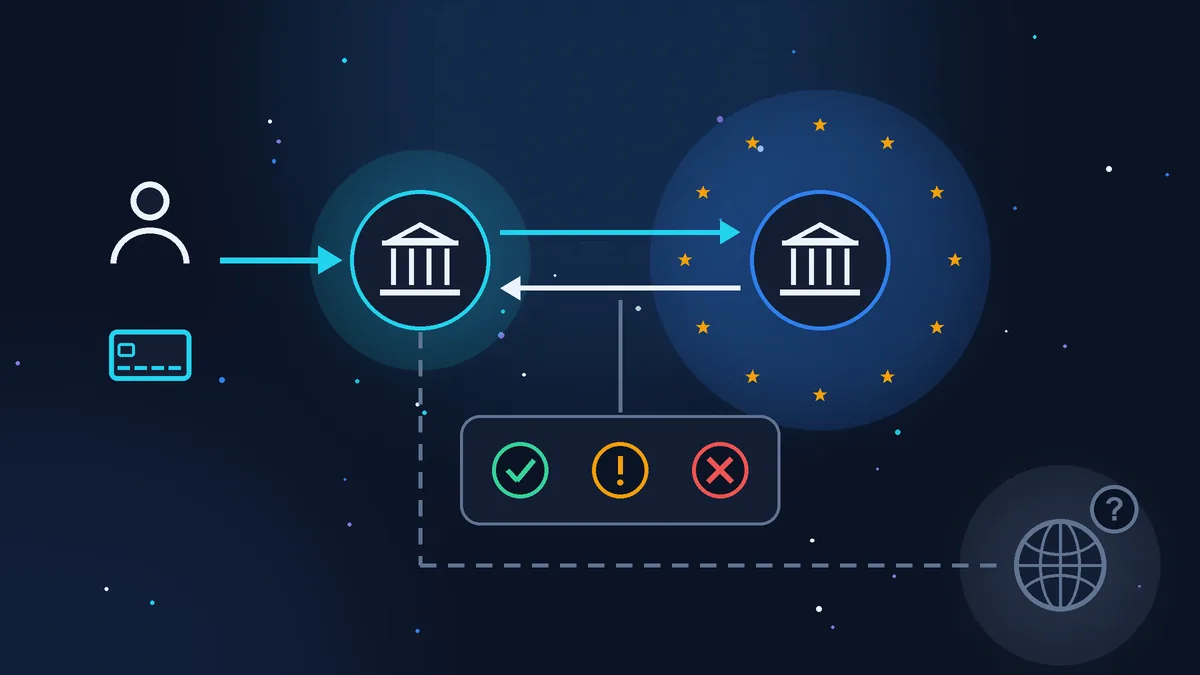
Since 9 October 2025, banks in the euro area must check, before a transfer, that the payee’s name matches the holder of the IBAN. This is Verification of Payee (in France: vérification du bénéficiaire, VoP). You enter the name or company name and the IBAN, your bank queries the payee’s bank and shows you the answer:
- match (concordance): the transfer goes ahead;
- close match (concordance partielle): a small difference, a typo for example. The bank shows you the actual account holder’s name: compare it with your supplier’s;
- no match (non concordance): a mistake, or a sign of a fake RIB;
- verification not possible (vérification impossible): the payee’s bank could not answer.
With any answer other than a match, you can correct the name, cancel, or send anyway. Under the rules, a transfer sent after such a warning counts as correctly executed: the bank is not liable for it and does not have to refund you. You can still ask it to try to get the money back, but with no guarantee.
What the check does not catch:
- an account opened in the right name. At the end of 2025, cybermalveillance noticed fraudsters opening accounts in the victim’s name so that the check passes. This was described for payroll diversion fraud, but the trick works against invoices too;
- transfers outside the euro area and in other currencies: there may be no check at all. You can tell the country from the first two letters of the IBAN (FR is France);
- old saved payees and standing orders: they are checked when they are created, and those created before 9 October 2025 were never checked. The OSMP advises reviewing your list of payees at the bank regularly.
And my own advice: if the email with the new RIB warns you in advance that the bank may show a name mismatch and that this is “normal”, or asks you to enter a different name as the payee, do not pay until you have reached the supplier on your own number.
If the money has already gone
Hours matter, and an instant transfer leaves immediately, so it is better to make the first payment to a new payee as a standard transfer. The steps, based on cybermalveillance’s guidance:
- Call your bank straight away, your branch or the number in your banking app. Ask them to stop the transfer or, if it has gone, to recall the funds (retour des fonds). The bank may ask for a copy of your police report. Also stop any scheduled transfers to that account.
- Warn the supplier on their real number. Their mailbox may be hacked, and other clients may have received the same email.
- Keep the evidence: the email or envelope, the fake RIB, the bank statement, the correspondence.
- Check your own mailbox. Look in the mailbox settings for forwarding to unknown addresses and for filter rules: this is how a fraudster reads and hides emails. If you find any, take a screenshot, then delete them. Change the password and turn on two-factor authentication (a code from your phone on top of the password).
- File a police report (plainte) as soon as possible. For a company, you file it at the police station, at the gendarmerie or in writing to the public prosecutor: the online platform THESEE is for private individuals, and the Ministry of the Interior asks businesses to file in person instead. Info Escroqueries (0 805 805 817) and France Victimes (116 006) give free advice.
To be honest about the money: on 17 June 2026 the Cour de cassation, France’s highest court, ruled that paying a fraudster posing as the creditor does not settle the debt owed to the real supplier (ruling 24-13.306). Put simply, you will most likely have to pay the invoice a second time. I am not a lawyer: if the amount is large, discuss the case with a lawyer and your bank.
If someone fakes your bank details
It also happens the other way round: your clients get an email “from you” with someone else’s IBAN. What to do in advance:
- protect your work email and invoicing software: a password used nowhere else, two-factor authentication, and a monthly look at forwarding rules. If someone is already writing to your clients in your name, read the article Fraudsters emailing your clients from your address;
- set up a DMARC record for your domain: it stops others sending emails from the exact address of your domain. It does not protect against lookalike addresses or a hacked mailbox; more in the article Emails from your domain going to spam: SPF, DKIM and DMARC in plain English;
- state on your invoices and on the payment page of your website: “We never change our bank details by email or letter. If you receive such a message from us, call the number on our website.” It gives clients a ready reason to call back.
Invoice fraud checklist: before you pay
- the IBAN is the one you have paid this supplier to before;
- if the details are new: you called the number from the contract or an old invoice, not from the message;
- the supplier told you the last digits of the account themselves;
- the bank’s name check answered “match”, not “close match” or “no match”;
- nobody is rushing you or asking you to keep the payment secret;
- the IBAN starts with FR or the code of another euro area country; if not, or if the bank answered “verification not possible”, the details were confirmed by phone;
- the list of saved payees at your bank has been reviewed in recent months.
Where to stop
Anyone can check bank details with this list. Finding out whether a mailbox has been hacked and whether your domain is protected against spoofing takes a long time without experience: you can close the door you see and miss the one left open.
If your time is worth more
In a one-hour starter consultation (from 49 € excl. VAT) we go through the weak spots: email, domain, website, how invoices reach you, and what to do first. If the problem is email, I can take on a one-off form and email setup, DMARC included, from 35 € excl. VAT.
Sources (checked 31/10/2026, all in French): Rapport d’activité 2025, Cybermalveillance.gouv.fr, 26/03/2026; Que faire en cas de fraude au virement ou au faux RIB ?, cybermalveillance.gouv.fr, updated 14/10/2026; Escroquerie aux faux ordres de virement (FOVI), cybermalveillance.gouv.fr; Rapport annuel 2025 de l’OSMP, Banque de France, 07/09/2026; Vérification du bénéficiaire d’un virement, Caisse d’Épargne, updated 12/11/2025; Cour de cassation, chambre commerciale, 17 juin 2026, pourvoi 24-13.306, Légifrance; La plainte en ligne pour les arnaques sur internet (THESEE), Ma Sécurité, Ministry of the Interior.
Rather not deal with it yourself?
Describe the task in a few words. I'll reply within one working day with what needs doing, the price and the timing.
Latest posts