I once worked on an online shop hit by payment hijacking: the payment method had been swapped at checkout. The customer saw the usual page and thought they were paying the shop. In reality, their card details or their money went somewhere else. I removed the swap without taking it fully apart, so I won’t reconstruct or make up how that particular case worked.
The general picture of online shop card skimming and payment hijacking, though, is well known from security researchers’ reports, and before Black Friday (27 November) every owner of a WooCommerce, PrestaShop or Shopify shop should know it.
No time to deal with this?
If you suspect a swap, I will find and remove the malicious code and close the hole it came through. Malware cleanup from €100 excl. VAT. If you’d rather do it yourself, everything is explained step by step below.
Two kinds of card skimming and payment hijacking

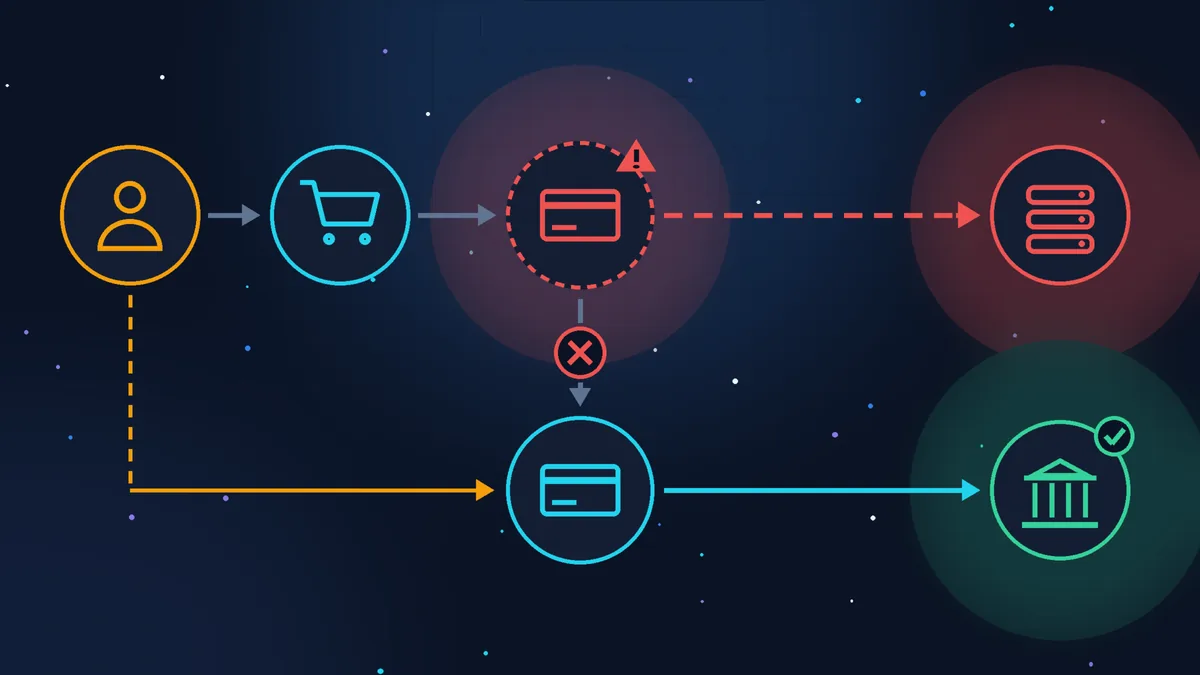
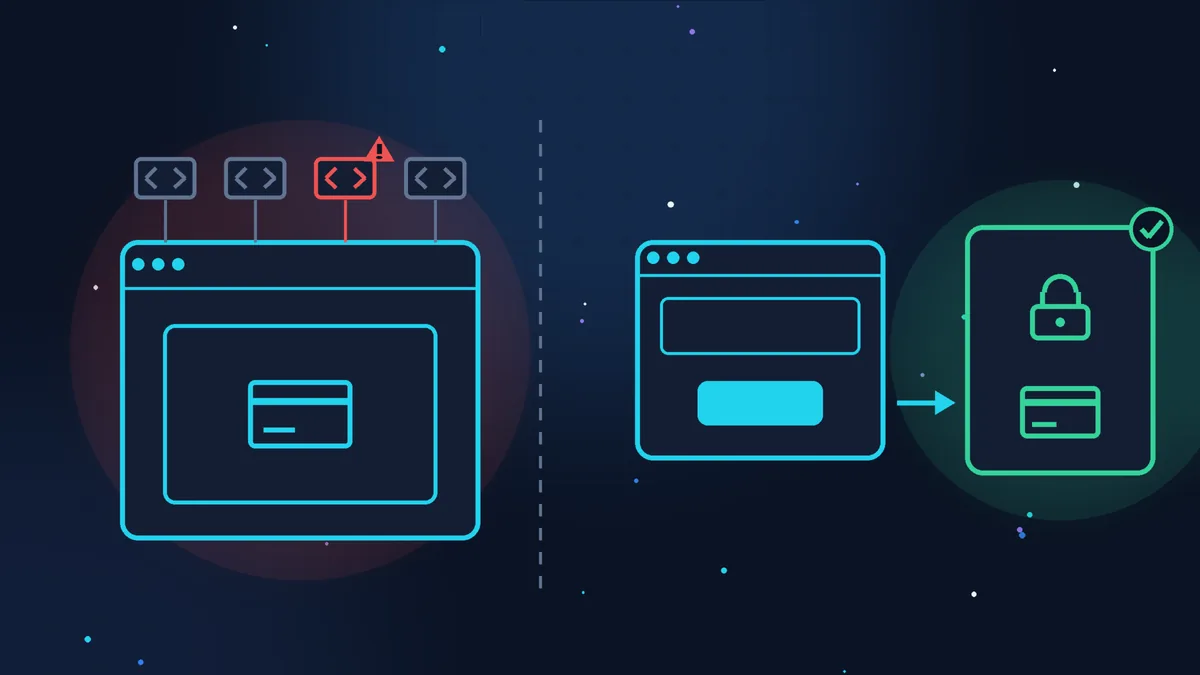
A fake card form
A malicious script (a small JavaScript program that runs in the customer’s browser) appears on the payment page. It copies the card number, expiry date and CVV (the three digits on the back) and sends them to the attacker. This script is called a skimmer (like the fake overlay fitted to a cash machine), and the technique is known as Magecart. The money for the order usually still reaches you, and the card is used somewhere else later.

Swapped bank details
What changes is where the money goes: the IBAN for bank transfer payments, the PayPal address, the payment link or button. The customer pays in full and in good faith, just not to you. You see an order awaiting payment, while the customer is sure they have paid.
The first kind has been measured. According to a Recorded Future report (February 2026), more than 10,500 infections by such skimmers were active in 2025, more than 7,300 of them new, and by the company’s estimate at least 23 million purchases were compromised through them. For the second kind there are no overall statistics.
Cases from 2026 show how the malicious code gets in:
- a vulnerable plugin. In May, Sansec described a hole in the Funnel Builder plugin for WooCommerce (installed on more than 40,000 shops): without any password, an attacker could write a fake “Google Tag Manager” into the external scripts setting, which then loaded the skimmer on every payment page;
- a theme file. In February, PrestaShop sent shops a warning about a malicious script and advised them to check their theme files;
- a third-party script. In October, a shared analytics file used by a Brazilian e-commerce platform was hacked, and the skimmer ended up on the payment pages of its shops;
- a stolen password for the admin area, hosting or FTP: then anything can be changed, including the bank details.
Why the owner doesn’t see it
You open your shop and everything is in place. That is exactly what the skimmer is designed for:
- it only fires on the payment page. The skimmer that Sucuri found in a WordPress database in January 2025 checked the page address and only switched on at checkout;
- it hides from the administrator. The script in a campaign described by Silent Push (January 2026, active since at least 2022) deleted itself if it saw the WordPress admin bar, in other words, you;
- the “payment error”. The customer enters their card in the fake form, the script grabs the data and shows an error. The customer thinks they made a mistake, enters the card again, this time in the real form, and the payment goes through. You see a normal order, and a couple of weeks later the customer sees charges they don’t recognise. Sansec calls this a “double-tap” and in February 2026 found this scheme at a large retail chain running PrestaShop;
- it disguises itself. The data goes to addresses that look like visitor analytics, and the code may sit in the database, where a file scanner can’t see it.
Signs to take seriously
- customers report unknown charges on their card after buying from you. One complaint may be a coincidence; two or three in a short time are a reason to check;
- customers complain about a “payment error”, after which everything went through on the second try;
- orders are awaiting payment, while customers send you proof of their bank transfer;
- a different IBAN or PayPal address appears in the payment settings or in confirmation emails;
- the admin area has new administrators you didn’t create;
- scripts you don’t know about have appeared in the additional code or external scripts settings, in widgets or in the theme;
- an email about your site from a bank, a payment provider or a security researcher: don’t delete it as spam.
Reducing the risk in advance
The payment method. The safest set-up is when the card is not entered on your site at all: the customer clicks “Pay” and lands on the bank’s page, Stripe Checkout or PayPal. The card form is then not on your site, and your site’s scripts can’t reach it. A redirect does not remove the risk entirely: the pay button or payment link itself can also be swapped, but there are far fewer places where the payment can be hijacked.
If the card form is embedded in your page (as Stripe and other providers’ modules often work), everything that loads on that page can affect it. For these shops, the card security standard PCI DSS 4.0.1 (which everyone who accepts cards must follow) has required since spring 2025 that you keep an inventory of the scripts on the payment page and monitor them for changes. For sites that send the customer to the provider’s page, the PCI Security Standards Council (the body that runs the standard) clarified in February 2025 that this check is not required on their own site.
Updates. CMS, theme, plugins and payment modules. But an update closes the hole, it doesn’t clean up what has already been written through it: after the Funnel Builder update, Sansec advised opening the external scripts setting and deleting anything unfamiliar.
Access. Unique passwords for the admin area, hosting and email, two-factor authentication (2FA: a code from your phone on top of the password), and once a month a look at the list of administrators to remove any you don’t need.
Less third-party code at checkout. Every analytics tag, chat widget and advertising pixel on the payment page is one more script you trust with your customers’ cards. In its security guide, Stripe advises avoiding JavaScript from other sites on payment pages.
Change monitoring. Plugins and monitoring services can alert you when the site’s files or the set of scripts on the payment page change. For clients on website maintenance, I check selected pages of the site once a day with my own monitoring tool, on two levels: the page’s source code and what a visitor sees in the browser. For a shop, the checkout and payment pages are worth adding to that list: if a single word changes there or a new script appears, I know about it within 24 hours at most.
A test order as a customer. Once a week, especially in November, place an order from your phone, not logged in to the admin area, in a private window. Don’t pay with your main card, but with a virtual card from your banking app (e-Carte Bleue in France, or similar) with a low limit, or go as far as the payment form and look at it carefully without entering a card. Then cancel the order and refund yourself. Check: is the form the same as always? Is there an “error” asking you to enter the card again? Are the bank details in the confirmation email correct? The skimmer may not show itself to the administrator, but it will show itself to an ordinary visitor. For more on getting a shop ready for the sales, see Getting your online shop ready for Black Friday and Christmas.
If you suspect payment hijacking: what to do
- Stop taking payments. Disable the payment method or put the shop into maintenance mode (with a maintenance mode plugin, or by asking your host to take the site offline). Every hour the checkout stays open exposes more customer cards.
- Keep a copy as evidence before cleaning: files, database, server logs, screenshots of the payment page. This is what cybermalveillance.gouv.fr (the French government’s cyber assistance platform) recommends.
- Find and remove anything that shouldn’t be there. External scripts and additional code settings, widgets, theme, payment modules, bank details in the settings and in email templates. In WordPress, start with the widgets (Appearance > Widgets, if your theme has them): Custom HTML blocks are exactly where Sucuri found the skimmer. Then check the theme settings and plugins that insert code into the header and footer. The skimmer may be in the database rather than in the files. For more on the first signs of a WordPress hack, see WordPress site hacked: the first warning signs.
- Close the way in. Update everything, change the passwords for the admin area, hosting, FTP and email, remove unknown administrators, turn on 2FA. Otherwise the code will come back.
- Tell your payment provider and your acquiring bank (the bank that processes your card payments): they have their own procedures for card data leaks.
- The CNIL. Card numbers and customer names are personal data, and their leak is a personal data breach (violation de données). Under Article 33 of the GDPR, you must notify the CNIL (the French data protection authority) without undue delay and, where feasible, within 72 hours of becoming aware of it, unless the breach is unlikely to result in a risk to people’s rights and freedoms, and you must warn customers if the risk to them is high (Article 34). If in doubt, the CNIL advises notifying: it will tell you whether you need to contact the people affected. I am not a lawyer, so check the CNIL page (in French).
- Warn customers who bought during the suspect period: ask them to check their statements and, if in doubt, call their bank and block the card (in France, “faire opposition”).
- File a complaint (plainte) with the police or gendarmerie, online (in French) or at a station, and attach the copies you kept.
If you don’t know where to start, there is a government online help service, 17Cyber, and cybermalveillance.gouv.fr has a list of specialists.
Checklist before the sales season
- card payments happen on the bank’s or payment provider’s page, or you know which scripts run on your payment page;
- CMS, theme, plugins and payment modules are up to date;
- nothing unfamiliar in the external scripts and additional code settings;
- the IBAN and PayPal address in the settings and emails are yours;
- only your own administrators in the admin area, all with 2FA;
- unnecessary analytics tags and chat widgets removed from the payment page;
- a test order from your phone, not logged in to the admin area, went through without an “error” and with the right bank details;
- you have a recent backup of the site and know who to call if something is wrong.
Where to draw the line
Any shop owner can check the bank details and administrators and place a test order in half an hour. But hunting for a skimmer that hides from the administrator and sits in the database, without experience, is slow and risky: you can delete the visible part and leave the part that brings everything back.
If your time is worth more
I can take on finding and removing the malicious code, checking the bank details and closing the hole it came through: malware cleanup from €100 excl. VAT. And if you want someone to check your shop’s payments, orders and updates on a regular basis, there is the Zen E-commerce plan from €199 excl. VAT a month, with the terms on the pricing page.
Sources (checked 31/10/2026): Annual Payment Fraud Intelligence Report: 2025, Recorded Future, February 2026; Funnel Builder vulnerability exploited, Sansec, 14 May 2026; Global retailer PrestaShop store hacked, Sansec, 20 February 2026; Silent Push Uncovers New Magecart Network, Silent Push, 13 January 2026; PrestaShop security alert, 202-ecommerce, February 2026 (PrestaShop email of 12 February 2026); Hackers hijack Convertr analytics script to steal payment card data, BleepingComputer, 27 October 2026, based on Sansec data; Stealthy credit card skimmer targets WordPress checkout pages, Sucuri, January 2025; FAQ clarifies new SAQ A eligibility criteria, PCI Security Standards Council, 28 February 2025; Integration security guide, Stripe; Fiche réflexe Défiguration de site Internet, cybermalveillance.gouv.fr (in French); Notifier une violation de données personnelles, CNIL (in French); WordPress menu labels as they appear in the English interface.
Rather not deal with it yourself?
Describe the task in a few words. I'll reply within one working day with what needs doing, the price and the timing.
Latest posts