
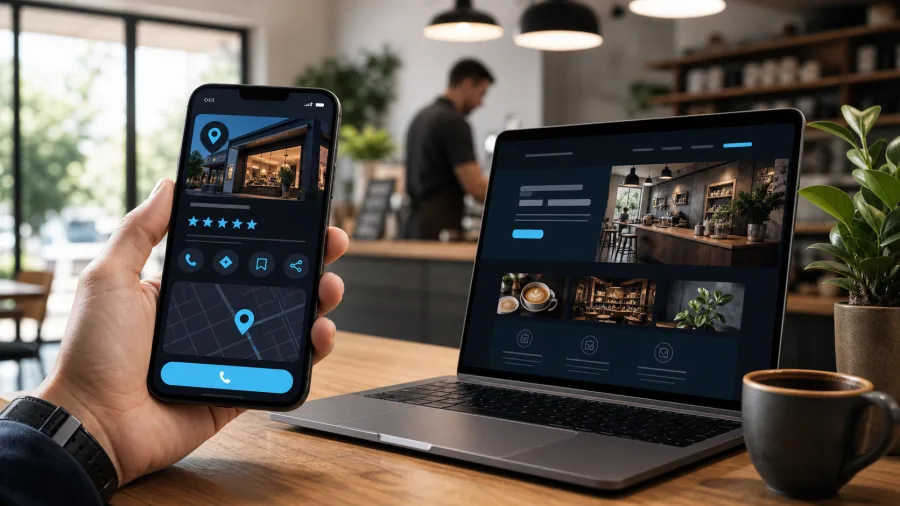
Short answer: for a local business, the real question is not choosing between a Google Business Profile and a website, but linking the two properly. The Google listing helps you show up quickly where the customer is already searching nearby: in search results, on the map, in the reviews panel, with call and directions buttons right there. The website helps someone understand the details, compare you against competitors, send an enquiry, book a table, or check that the business looks credible.
Rely only on the Google listing, and the business gets visibility while staying boxed inside somebody else’s platform. Rely only on the website, and the business might look professional while losing the people searching “near me” who never even reach the ordinary search results. A sensible setup for a café, restaurant, salon, tradesperson or local service is simpler than it sounds: Google grabs attention, the website helps people decide.

Google Business Profile
- map and directions
- hours and phone number
- reviews and rating
- one-tap call
- photos and updates

Your own website
- services, prices, menu
- forms and booking
- FAQs and terms
- SEO pages
- analytics and ownership
Why this question comes up so often
A local business owner sees a simple picture: the Google listing is free, it shows the address, hours, photos, reviews, and a call button. Sometimes the first calls genuinely come from there rather than from the website. So the thought follows naturally: why pay for a website if Google is already showing the business on the map?
The trouble is that a Google Business Profile only covers a short stretch of the customer’s journey, not the whole thing. Someone sees the listing, checks the rating, looks at the hours, taps directions. But if they need more information, the listing quickly runs out of room. They want to see the menu, prices, booking terms, real photos, a list of services, any restrictions, the languages spoken, parking, delivery, examples of past work, or a contact form. All of that sits more comfortably on a website.
According to BrightLocal’s 2026 figures, 97% of consumers read reviews of local businesses, and Google remains one of the main places to read them. But the important part is not just the reviews themselves: after reading positive reviews, a noticeable share of people go on to check the website, social media, or other platforms. In other words, a good Google listing often does not replace the website; it sends people on to the next stage of checking.
What Google Business Profile does best
Google Business Profile is strongest when the customer is searching quickly and locally. That shows up especially for restaurants, cafés, salons, medical practices, tradespeople, shops and mobile services.
The listing answers these questions well:
- where you are located;
- whether you are open right now;
- how to get there;
- whether they can call in one tap;
- what your rating is;
- what recent reviews customers have left;
- whether there are photos of the premises, the work, the dishes, or the team;
- whether they can get directions, book, or order, if that feature is switched on.
Google itself explains local visibility through three factors: relevance, distance and prominence. Relevance is how well the business matches the search. Distance is how close it is to the person or the specified town. Prominence is how visible and trustworthy the business appears online. That is why an empty listing, with the wrong category, outdated hours, and no replies to reviews, performs worse than a carefully filled-in profile.
But there are limits. The listing lives on Google’s platform. The interface changes, the rules change, some data can be suggested by other users, and the listing can get flagged for review or temporarily lose features. You do not control that space the way you control your own website. The listing matters, but making it the only digital foundation of the business is risky.
What the website does best
A website is not there to repeat the address and phone number already on the Google listing. Its job is to give the customer what does not fit into a listing.
On a website, you can properly show:
- services with explanations, prices or price ranges;
- a restaurant menu without a heavy PDF, easy to read on a phone;
- online booking, a contact form, a way to arrange a consultation;
- an FAQ answering common questions;
- photos, a portfolio, case studies, reviews with proper context;
- terms of work, guarantees, payment, delivery, booking cancellation;
- pages built around different services, areas, languages and ad campaigns;
- legal information and the signs of a genuine, real business.
Google Search Central specifically recommends that businesses verify their official website in Search Console, help Google understand the business’s data, and use structured data. In plain terms: the website is where you can explain who you are, what you do, where you work and how to reach you, and Google can pull that information into search.

Relevance
How well the listing and the site’s pages match what the customer is searching for: category, services, menu, copy, FAQ.
Distance
How close the business is to the person or the specified town: address, service area, the pin on the map.

Prominence
How trustworthy and visible the business looks online: reviews, links, mentions, content.
The website’s biggest advantage is control. You can change the structure, add pages, measure enquiries, connect analytics, build multilingual versions, save enquiries in the admin area or a CRM, and run ads pointing to a specific page. A Google listing offers far fewer of those options, and the layout and logic of the page do not belong to you.
How a customer usually decides
A customer’s journey rarely comes down to a single point. It is more often a chain:
- Someone searches for a service or a place nearby.
- They see several listings on Google or on the map.
- They compare rating, how recent the reviews are, photos and hours.
- They open the website if they want to understand the details.
- They check the menu, price, terms, examples of work, or the booking form.
- They come back to call, get directions, book, or send an enquiry.
That is exactly why “which one matters more” describes reality badly. For a quick local choice, the Google listing matters more. For a confident decision, a complex service, advertising, SEO and a properly handled enquiry, the website matters more. In a well-set-up system, both should lead the customer in the same direction, not argue with each other.
If a restaurant’s Google listing links to the homepage, and the menu sits three clicks deep inside a PDF, some people will simply leave. If a salon’s listing has a “website” button, but the site shows no prices, no examples of work and no booking option, the person will keep comparing elsewhere. If a tradesperson has a well-filled listing but a website that looks dated and does not display properly on a phone, trust drops.
Where customers most often get lost
The most common problem is neither a missing website nor a missing listing. The problem is that the two live separately.
Typical mistakes:
- different hours on Google and on the website;
- holiday hours updated on Instagram, but forgotten on the site and the listing;
- an old phone number still showing on the listing;
- the listing’s link pointing to the homepage instead of the relevant service page;
- no address written out as text anywhere on the site;
- a restaurant menu only available as a heavy PDF;
- a form on the site that sends the e-mail fine, but saves the enquiry nowhere;
- reviews sitting on the listing with nobody ever replying to them;
- recent photos on the listing but outdated ones on the site;
- a website not connected to Search Console, so the owner never sees technical problems.

Mistakes around hours and contact details are especially damaging. The customer has no reason to guess which version is true. If they see one phone number on Google, another on the site, and a third in an old PDF, they simply choose the competitor whose information is clear. For a local business, that is not an abstract SEO risk; it is real calls, bookings and visits lost.
A practical example
Picture a local café, salon, or service practice. The business changes its hours for a holiday, posts about it on social media, but forgets to update the website. The Google listing keeps its usual hours, and the site’s contact page still shows the old schedule. A customer sees the place looks open, gets directions, arrives at a closed door, and leaves a negative review. Another customer wanted to book, but the listing’s link leads to the homepage, where booking is buried out of sight. They go back to the search results and pick something else.
The fix in a situation like this does not always need a new website. Sometimes it just means putting the existing system in order:
- update the hours on Google Business Profile and on the website;
- check holiday dates and seasonal changes;
- point the listing’s link straight to the menu, booking, or the relevant service page;
- remove the outdated PDF;
- add a clear action button on the mobile version;
- set up enquiry storage, if the form allows for it;
- add a UTM tag to the listing’s link so visits show up in analytics;
- check that Search Console is not flagging any critical errors.
Sorting this out is less glamorous than “redesigning the site”, but it is often what actually affects revenue. The customer is not interested in a design debate. They want to quickly work out whether you are open, what you offer, how much it costs, whether they can trust you, and how to take the next step.
Can a business get by on the Google listing alone
Sometimes it is fine to start with just a Google Business Profile. For example, if the business is brand new, the service is simple, enquiries come in only by phone, there is no budget for a website, and the owner is prepared to keep the listing updated regularly. That beats having no local presence at all.
But it is a temporary fix, not a real strategy. The listing has clear limits:
- you cannot properly explain a complex service;
- it is hard to build pages for different searches;
- there is almost no control over design or structure;
- tracking the customer’s journey is harder;
- you cannot properly build out content;
- the business depends entirely on one platform’s rules.
For a simple start, a Google listing is enough. For a business that wants to grow, collect enquiries, run advertising, work in several languages, or look genuinely established, a listing alone is not enough.
When a website becomes essential
A website becomes especially necessary when the customer has questions before they buy. The more questions there are, the less a Google listing can handle on its own.
A website is close to essential if:
- you run a restaurant, café, or delivery service with a menu, bookings and seasonal offers;
- you run a salon, workshop or service where photos of past work and prices matter;
- you offer more than one simple service, spanning several different areas;
- customers need to leave an enquiry, attach a file, or choose a specific service;
- you work with a Russian-speaking, Ukrainian, French or English-speaking audience;
- you run advertising and want to send people somewhere other than the homepage;
- you want to see which pages actually generate enquiries;
- you want to build SEO beyond just the business name, into the services themselves.
At that point, the website is no longer just “a business card for the sake of having one”. It becomes a working tool: it explains, filters out questions, takes enquiries, supports advertising, holds content, and builds trust.
What you can check yourself in 30 minutes
There is no need to start with a full audit. Open the Google listing and the website the way an ordinary customer would, from a phone.
Check:
- whether the business name matches;
- whether the address, phone number and hours match;
- whether holiday and seasonal hours are up to date;
- whether the listing’s link leads to the right page;
- whether the menu, prices, booking or a form can be found within one or two taps;
- whether the site displays properly on a phone;
- whether there is a clear action button on the site;
- whether you are replying to recent reviews;
- whether the photos on the listing are current;
- whether enquiries get saved on the site if an e-mail does not arrive;
- whether Search Console and basic analytics are connected;
- whether it is clear which visits came from Google Business Profile.
If that check turns up two or three obvious problems, fix those first. There is no need to redesign the entire site straight away. For a local business, it is often more important to remove friction from the customer’s path: the right link, up-to-date hours, a form that actually works, a clear menu, a fast mobile page.
When it is worth going through Zen Webmaster
It is worth contacting Zen Webmaster not when “something needs doing online”, but when the whole setup needs bringing into working order without spending your evenings on it.
We can help if:
- the Google listing is complete, but the website is not helping generate enquiries;
- the website exists, but almost nobody arrives there from the listing;
- the information differs from one place to another;
- a menu, booking system, form or service page needs building;
- enquiry storage needs setting up, so the business is not relying on e-mail alone;
- a website or pages are needed in several languages;
- analytics, UTM tracking, Search Console and clear goals need setting up;
- structured data for a local business needs adding;
- you need to quickly work out what is stopping a customer from calling, booking, or leaving an enquiry.
The real value of this work is not “having one more channel”. The value is that the customer stops jumping between different versions of the same information. They see the business on Google, move to the website, get their answers, and take a clear action.
The bottom line
Google Business Profile matters for a local business because it catches the moment demand already exists: someone nearby, phone in hand, needing to choose quickly. The website matters because it gives control, explains the details, and helps turn interest into an enquiry, a booking, or a visit.
If you have a spare moment, start simply: check the hours, the phone number, the link, the reviews, the mobile version, and the form.
Rather not deal with it yourself?
Describe the task in a few words. I'll reply within one working day with what needs doing, the price and the timing.
Latest posts